Erasing a person
Delete one person's data from TrueEngage on request, what is deleted and what is kept, how long each stage takes, and what happens if they come back.
Erasure deletes one person's personal data from your workspace, for example when they ask you to under a privacy law. It removes them from your ad audiences first, then deletes their profile, devices and identifiers. You can start it from their profile or from the Erasure API. You cannot undo it.
Before you start
- You need Create and manage on Privacy requests to erase a person, and View on Privacy requests to see the Erase person… action at all. Owners and Admins have both by default. See Roles and permissions.
- Erasure applies to the environment you are in. Test and Live are separate: erasing someone in Test does not touch Live.
- Make sure your ad platform connections are healthy. A paused or disconnected connection delays erasure. See Fix connection errors and reconnect.
Erase a person from the console
- Open Users and select the person to open their profile.
- Select the More actions (three dots) menu, then Erase person….
- Read what the dialog says it touches: Ad audiences, Pending sends, Active journeys and Devices. The Deleted and Kept, without personal data lists show what happens to their data.
- Under Reason, write why you are erasing them, 5 to 500 characters. Do not enter personal data. The reason is stored with the request.
- Under Type the workspace name to confirm, select Copy beside the workspace name and paste it into the box. The match is case-sensitive.
- Select Erase person. The button stays off until the reason and the name are both valid.
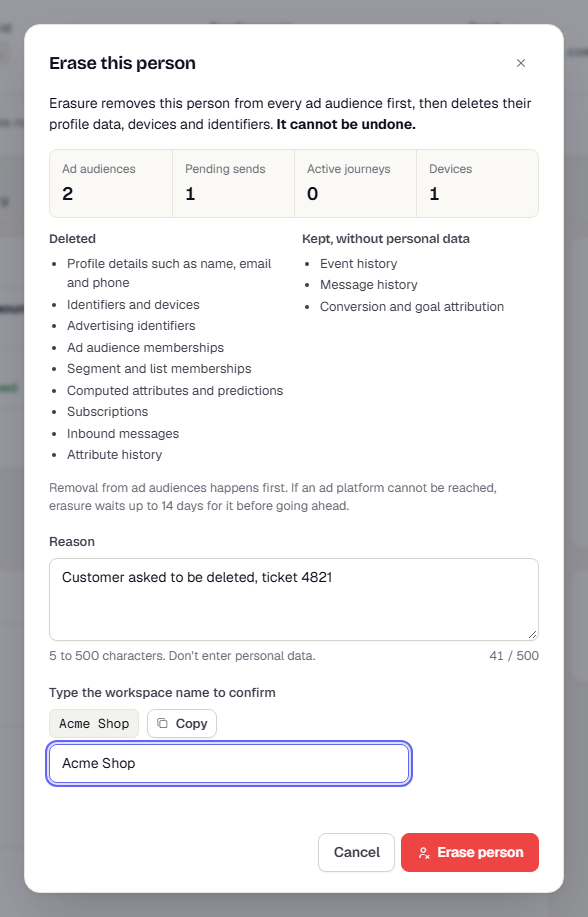
The request is recorded with your name as Requested by. A request made with an API key records the key's name instead. You can follow it on Privacy requests.
If no profile matches (the person was never in this environment), the request completes at once. The identifiers are still recorded, so they cannot be re-created for the retention period below.
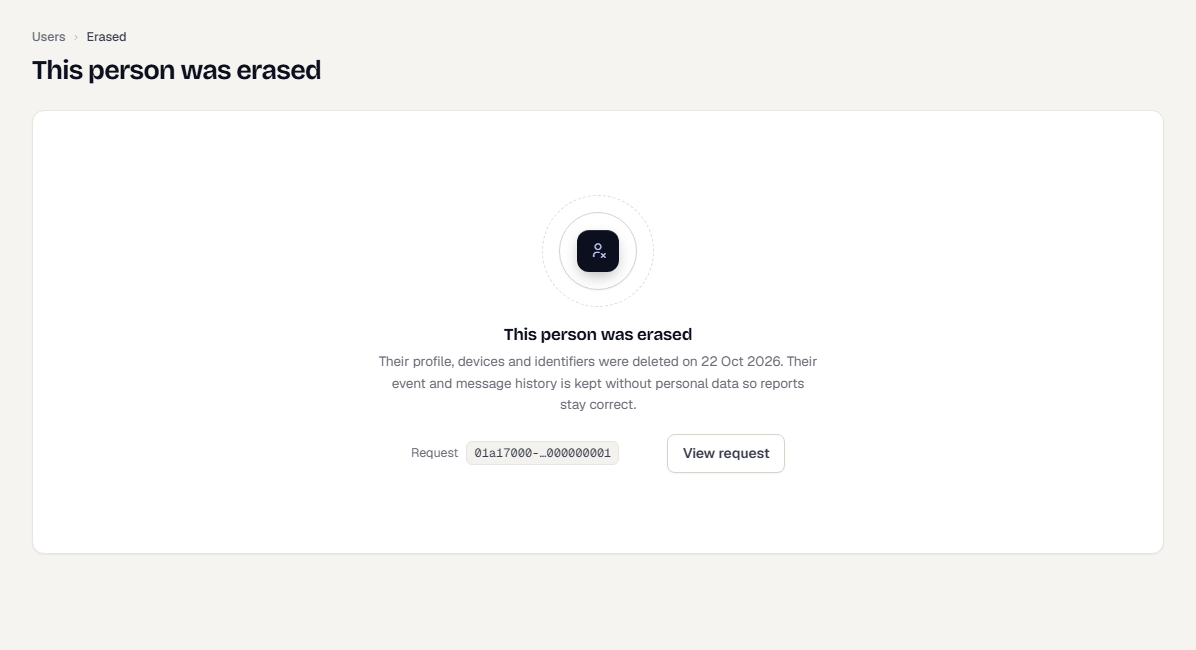
After you confirm, the profile shows Erasure in progress, sends to the person stop, and the reveal and erase actions are hidden. When it finishes, the profile page reads This person was erased, with the request id and a View request link if you can see privacy requests.
What erasure does
Erasure runs in stages, one after another. The console shows the current stage.
| Stage | What happens |
|---|---|
| Received | TrueEngage records the request and who made it. |
| Removing from audiences | Sends and journeys stop for the person. Every ad audience that holds them is told to remove them. Their email and phone stay in place until the platforms confirm, because the platforms match on them. |
| Deleting data | Profile details, identifiers, devices and ad identifiers are deleted, and the person's identifiers are blocked from coming back. |
| Scrubbing history | Events and messages keep their rows but lose personal data. This runs overnight. |
| Completed | Nothing personal is left, apart from what the next sections list. |
Ad audiences come first on purpose. An ad platform can only remove a person it can match, and it matches on the email and phone TrueEngage still holds. Deleting those first would leave the person in the audience for good.
How long it takes
There is a short pause between steps, about 30 seconds in total. A person who is in no ad audience is deleted within minutes. The history scrub runs once a night at 02:30 UTC.
If an ad platform cannot be reached (the audience is paused, the connection needs a reconnect, or the platform keeps returning errors), erasure waits for it for up to 14 days. The request shows Waiting on connection or the audience's problem, and the Privacy requests page offers a Reconnect or Open audience link. After 14 days erasure goes ahead without the platform. The request then reads Some audiences may still hold them, and the audience row shows a warning. See People that could not be removed.
What is deleted
- Profile details such as name, email and phone
- Identifiers and devices, including push tokens
- Advertising identifiers and click ids
- Ad audience memberships
- Segment and list memberships
- Computed attributes and predictions
- Subscriptions
- Inbound messages
- Attribute history
Queued sends are cancelled, the person leaves any journey they are in, and ad conversions waiting for delivery are skipped with the reason erased.
What is kept
- Event history, message history, and conversion and goal attribution stay, without personal data. Event properties, IP address, device ids, message recipients and rendered message content are removed. The rows and an internal user id stay, so your reports and counts do not change.
- Suppression list entries. If the person unsubscribed or bounced, that record stays so they are never messaged by mistake. The request shows it under Still to expire with no end date.
- Import files. An uploaded CSV that held the person is purged when your import file retention ends. The request shows the date.
- Ad platform call log. It holds hashed keys, not the person's details, and expires on its own schedule.
- The audit log. It records who made the request and why, using internal ids only. It never holds the person's email, phone, name or external id.
Backups age out under the retention policy. TrueEngage does not restore an erased person selectively from a backup. If a restore ever brings an erased person back, the erasure is replayed.
If the same person comes back
For 90 days, TrueEngage blocks the erased person's identifiers: external id, email, phone and anonymous ids. During that time:
- Events from those identifiers are accepted by the SDK but dropped on the server.
- CSV import rows for them are skipped.
- A call that names them returns
404 USER_NOT_FOUND, or410 USER_ERASEDwhen you promote or read the erased profile.
Only a keyed hash of each identifier is stored, never the identifier itself. After 90 days the block expires and the same email can start a new profile, with no history.
Device records are not blocked. Their registrations are deleted, so a new profile can be created for the same install.
Apps: reset the anonymous id on logout
The SDK keeps an anonymous id on the device. If a different person uses the same app install after the erased person, and your app keeps the same anonymous id, their events are dropped for the 90 days. Call reset() on logout so the next person gets a fresh id. See Events, attributes and identity.
Related
Was this page helpful?