Use your own domain for tracked links
Show your brand on the links in your emails and text messages, using a verified link domain, while TrueEngage still counts every click.
When you track clicks, each link in a message is rewritten so the click can be counted. By default your email vendor rewrites email links on its own domain, and text message links go out as written. A branded tracking link shows your own domain instead, such as go.acme.example. TrueEngage counts the click, then sends the person to the original page.
You choose the domain once for Email and once for SMS & RCS, on the Tracking links tab.
Before you start
- You need permission to manage channels to change the setting. With only view permission you can see it.
- You need a link domain that is active and verified. Link domains are set up under Smart Links. See Link domains. Adding one needs access to Smart Links.
- The setting applies per environment, so set it in Test and Live.
Choose the domain
- In the sidebar, open Channels and choose Email or SMS & RCS.
- Select the Tracking links tab.
- Under Tracking domain, open Domain for emails (or Domain for text messages) and pick a domain. Only domains that are active and verified can be chosen. Others show why, for example Waiting for DNS.
- Check What a link will look like, then select Save.
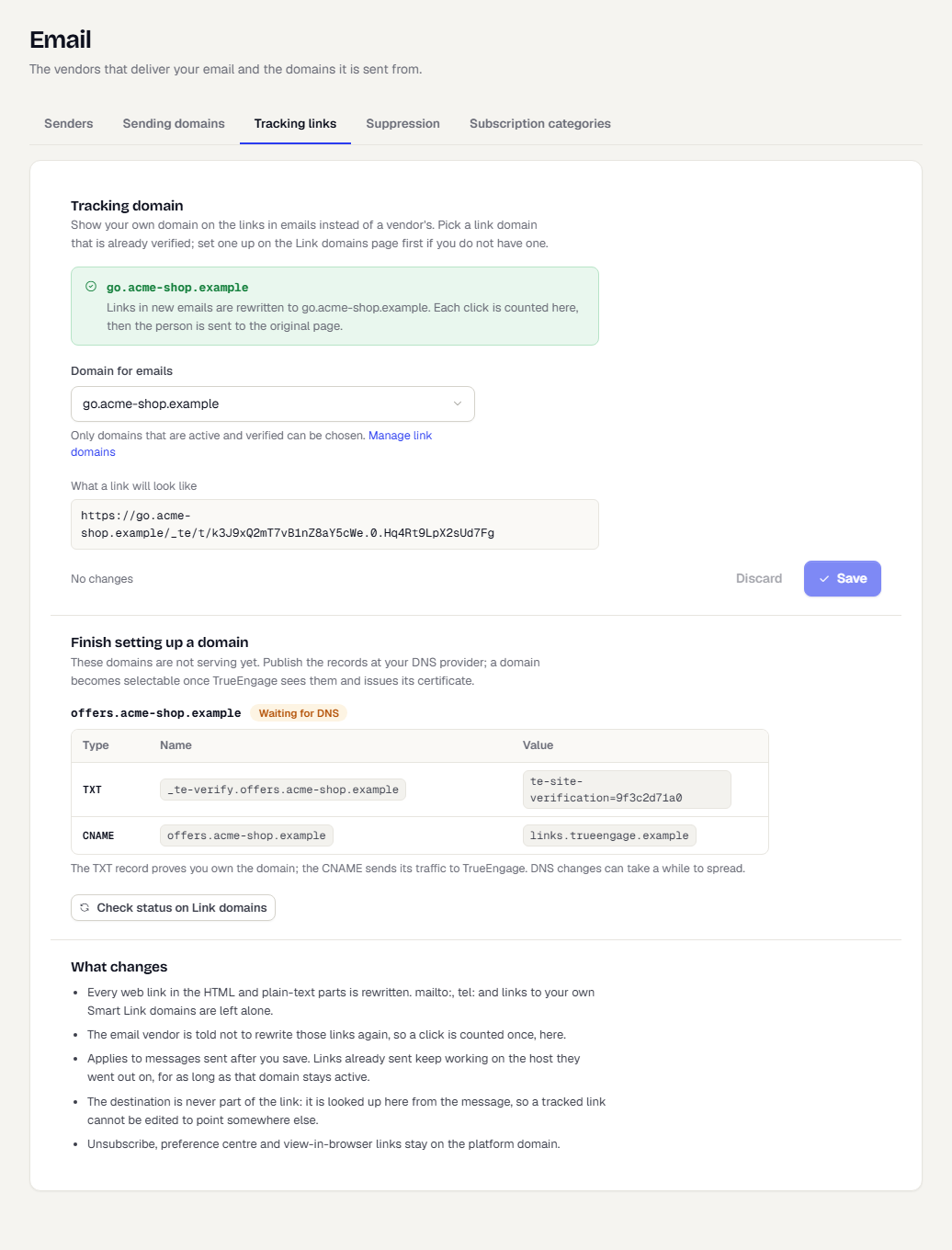
The status box above the picker tells you what the channel does now. No branded host means links go out exactly as written. A domain name means new messages use it. If the chosen domain stops serving, the box warns you, and new messages go out with their links as written until it is active again.
If you have no link domain yet, select Add a link domain. If a domain is not serving yet, the Finish setting up a domain section lists its DNS records. Publish them at your DNS provider, then select Check status on Link domains.
To go back to the default, choose No branded host and save.
What changes
- The change applies to messages sent after you save. Links already sent keep working on the host they went out on, for as long as that domain stays active.
- The destination is never part of the link. It is looked up from the message, so nobody can edit a tracked link to point somewhere else.
- Unsubscribe, preference centre and view-in-browser links stay on the platform domain.
- Email. Every web link in the HTML and plain-text parts is rewritten.
mailto:andtel:links, and links to your own Smart Link domains, are left alone. The email vendor is told not to rewrite those links again, so each click is counted once. - SMS & RCS. Every web link in the message text is rewritten to a short link. A message tied to a registered DLT template is sent exactly as registered, so its links are not rewritten.
Related
Was this page helpful?