Team and roles
A short guide to inviting colleagues and controlling what each person can do, with links to the full settings guides.
Each person has one membership in your organisation. A role decides what they can see and do.
- Owner and Admin are built in and locked. Custom roles start as a copy of an existing role.
- A role has a permission for each area of the console. A Test/Live overlay lets a role differ between environments.
- Console pages hide when your role lacks permission. You cannot assign a role more senior than your own.
- An organisation must always keep at least one Owner. Admins cannot suspend, change or remove an Owner.
- Team is available to Owners, Admins, Managers and Developers. Roles is visible to Owners, Admins and Managers, and only Owners can change roles. Every member can see their own permissions under Account, then My permissions.
- Creating a new workspace is for Owners and Admins.
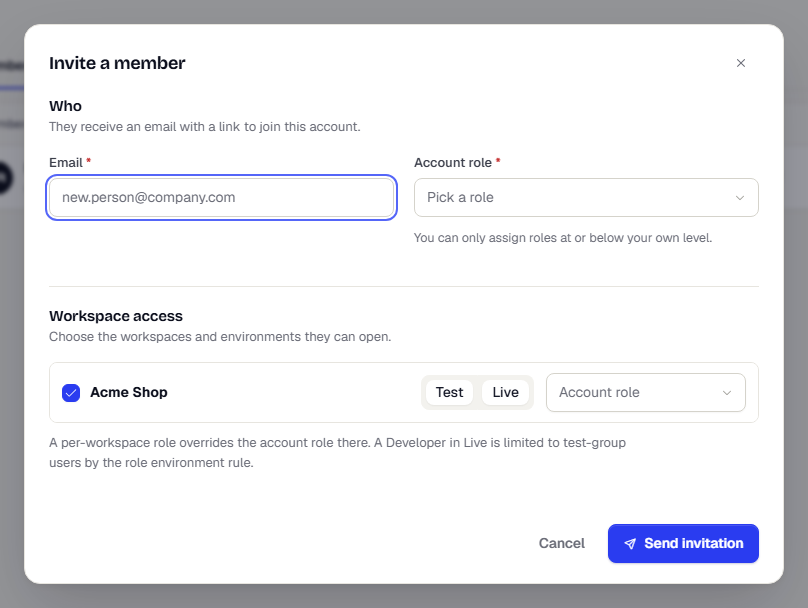
To invite someone, open Settings, then Team, and select Invite member. If invitation emails are not set up, an Owner can copy a link for each pending invitation and share it directly.
Go deeper:
- Invite and manage your team: invitations, role changes and workspace access.
- Roles and permissions: the permission grid, overlays and custom roles.
- Account and profile: your own permissions, password and two-factor.
- API keys cannot hold more access than the person who created them. See API keys.
Was this page helpful?