Campaigns, ad sets and ads
Understand how ad platforms organise ads, and drill from a campaign down to its ad sets and ads on the Campaigns page.
Ad platforms organise what you run in three layers. The Campaigns page follows the same layers, so you can find which part of a campaign is spending the money.
Who can use this. You need Acquisition & Spend, View spend (acquisition:view_spend). Owner, Admin, Marketer and Analyst have it by default. See Roles and permissions.
Campaign, ad set and ad
| Layer | What it is | Example |
|---|---|---|
| Campaign | The goal and the budget. Everything under it works toward one objective | Autumn Sale - Prospecting |
| Ad set | Who sees the ads, where and when. It holds the audience, placements and schedule | Lookalike 1% - India |
| Ad | The creative people see: the image or video, headline and link | Carousel with the new range |
One campaign has many ad sets. One ad set has many ads. Spend, impressions and clicks add up from ads to ad sets to the campaign.
Platforms use their own words for the middle layer. Google Ads calls it an ad group. TrueEngage shows Ad sets for every platform.
Move between layers
The Campaigns page has three tabs: Campaigns, Ad sets and Ads. Each tab lists every row of that layer, across all your connections.
To go down one layer from a row:
- On the Campaigns tab, select a campaign's name.
- The page switches to Ad sets and shows only that campaign's ad sets. A line under the tabs says Showing ad sets of Campaign: Autumn Sale - Prospecting.
- Select an ad set's name to see its ads.
- Select Show all to drop the narrowing and see every row of the tab again.
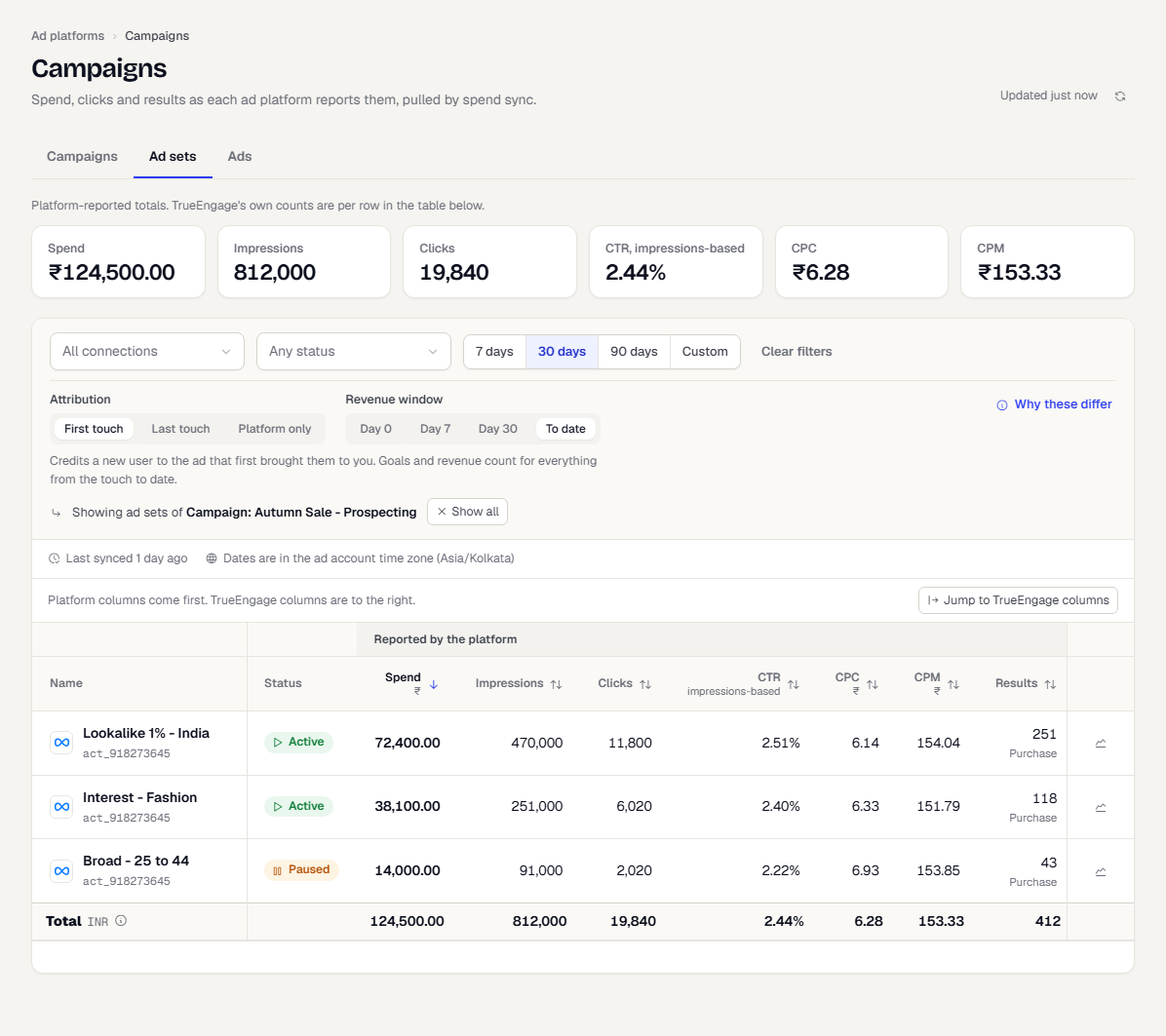
An ad has nothing below it, so its name is plain text. Selecting a tab directly, for example Ads, clears the narrowing.
Every layer has the same columns, filters and trend drawer as the campaign view. See Read ad spend by campaign. The Audience icon is on campaign rows only, because the platforms report who was reached per campaign.
Share a view
The layer, the parent you narrowed to, the filters and the sort are all in the page address. Copy it to send a colleague the exact view. Each row's identity includes its connection, so two connections that reuse the same platform ID never mix.
What happens next
Was this page helpful?