Use flow variables
Define values that a flow resolves at entry or once per run, and store secrets for API calls.
A flow variable is a named value the flow looks up once and then uses in messages, conditions and webhook requests. Examples: a coupon code constant, the user's city, or today's opening index fetched from your API.
Reference a variable as {{flow.key}} in templates, and in flow conditions.
Before you start
- You need the create and manage permission for flows.
- For an API variable, you need the endpoint URL and, if it needs a key, a secret to store.
Add a variable
- In the flow editor, select the Variables tab.
- Select Add variable. You can add up to 50.
- Fill in the fields.
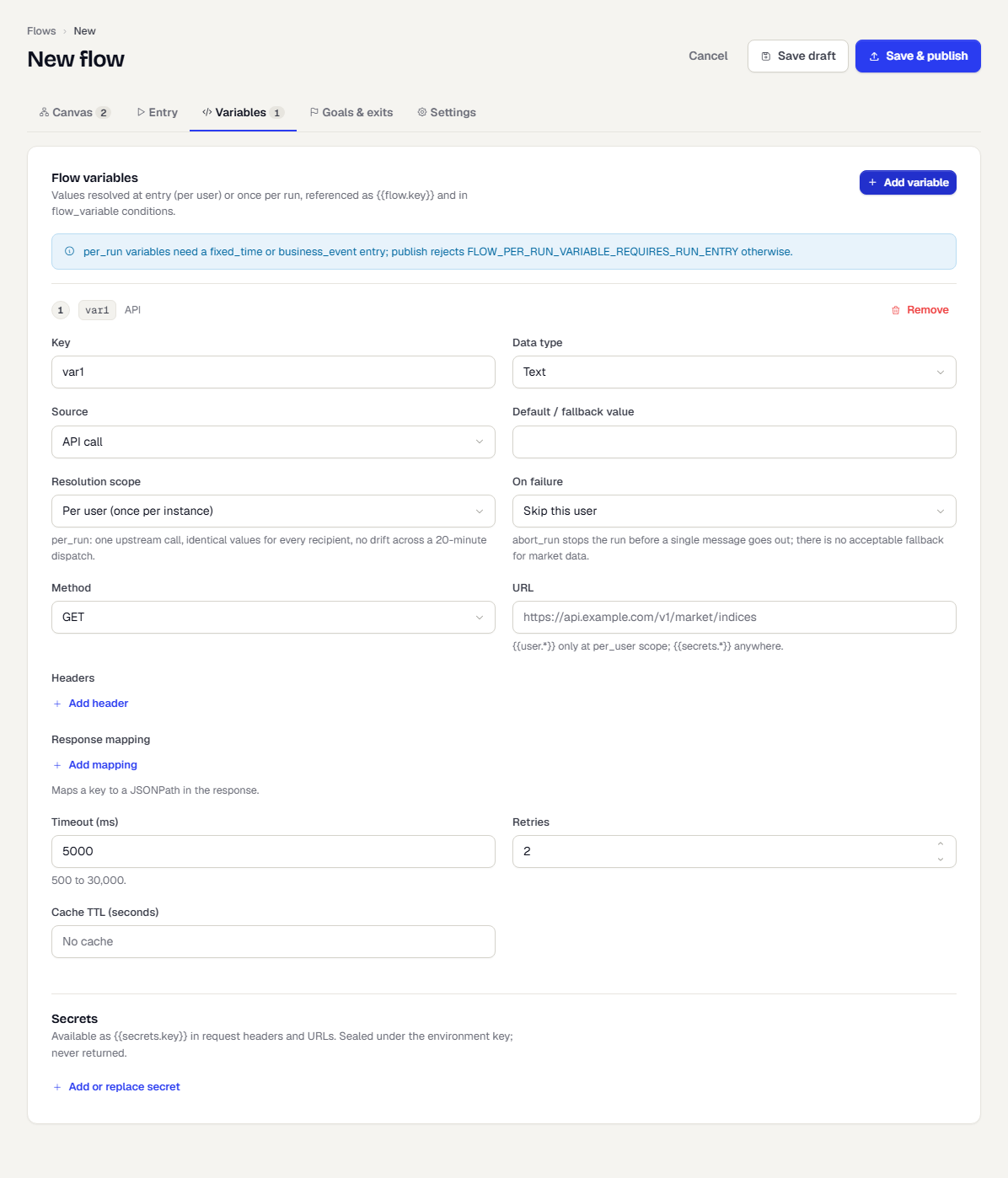
| Field | What it does |
|---|---|
| Key | The variable's name, for example niftyOpen. |
| Data type | The type of the value. |
| Source | Constant, User attribute, Entry event property, Computed expression or API call. |
| Default / fallback value | Used when the value cannot be resolved. |
| Attribute / Event property / Expression | Shown for the matching source: the attribute or event property to read (blank uses the variable key), or the expression, for example {{message.amount}} on {{customer.city}}. |
Remove a variable with Remove.
Use a variable in a message as {{flow.niftyOpen}}. Publishing fails with FLOW_VARIABLE_UNDEFINED if a message template uses {{flow.x}} and the flow defines no variable x (add | default:"-" to the placeholder to allow it).
Resolve a value from your API
Choose API call as the Source to fetch the value from an HTTP endpoint.
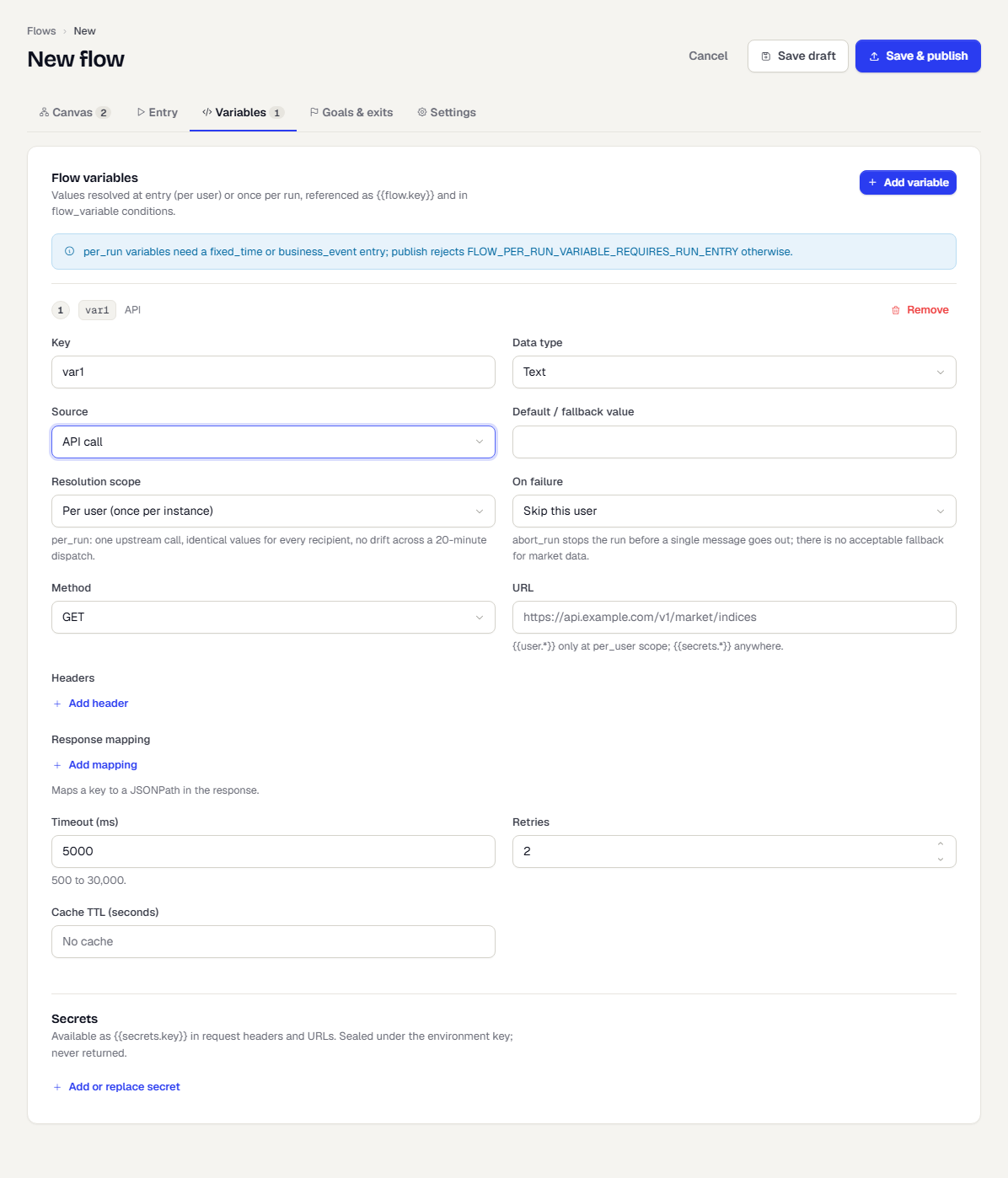
| Field | What it does |
|---|---|
| Resolution scope | Per user (once per instance) looks the value up for each person. Per run (once per run, frozen) looks it up once so every recipient sees the same value. |
| On failure | Use fallback value, Skip this user, or Abort the run (per_run only). Abort stops the run before any message goes out. |
| Method | GET or POST. |
| URL | The endpoint. {{user.*}} works only at per-user scope. {{secrets.*}} works anywhere. |
| Headers | Request headers. Select Add header. |
| Response mapping | Maps a Variable key to a JSONPath in the response, for example $.data.NIFTY50.open. Select Add mapping. |
| Timeout (ms) | 500 to 30,000. |
| Retries | 0 to 5. |
| Cache TTL (seconds) | Per-user scope only. Reuse a result for up to a day. |
Per-run variables need a Fixed time or Business event entry. Publishing is refused otherwise.
The flow looks the variable up for you, when a person enters (per user) or when the run starts (per run). You do not add a step for it. Use it in a message as {{message.flow.<key>}}. To call an endpoint part-way through a journey instead, use the Call API step. See Steps reference.
Store a secret
Secrets keep keys out of the request text.
- Under Secrets, select Add or replace secret.
- Enter a key such as
marketApiKeyand its value. - Use it in a header or URL as
{{secrets.marketApiKey}}.
Stored secrets show with a lock icon. Their values are write-only: they are never shown again. Add the same key to replace one.
What happens next
Variables show up as tokens in the editor and in message personalisation. A run records the values it resolved. See Monitor a flow.
Was this page helpful?