Link analytics
Read clicks, installs, opens and conversions for one link or for all links, and understand how each number is counted.
Smart Links reports three kinds of results: clicks, installs and opens. They come from the click itself and from the SDK in your app, so no extra tracking code is needed beyond the setup in Deep links and deferred deep links.
Every number on these pages is a total. None of them identifies a person.
Where to look
| Place | What it shows |
|---|---|
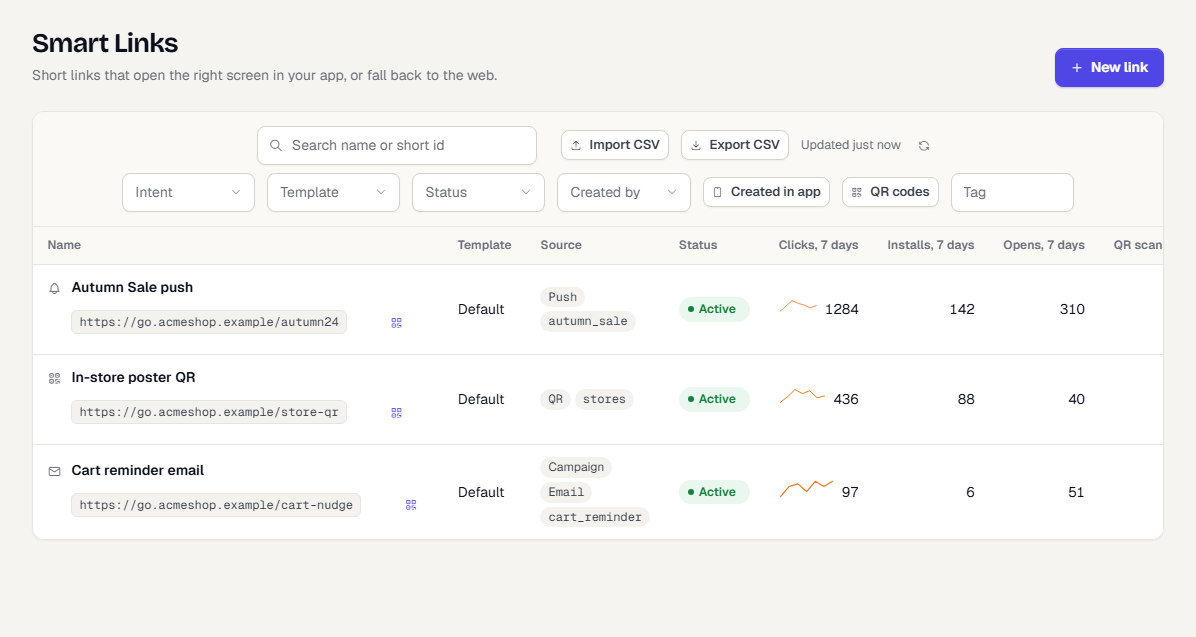
| Smart Links > Links | One row per link: clicks in the last 7 days with a small trend, installs, opens and QR scans (last 90 days). |
| A link's Overview tab | Everything about one link over 7, 30 or 90 days. |
| Smart Links > Analytics | The Smart Links dashboard for all links. |
| Smart Links > Settings > Match rate | How often an install was matched to a click. See Link settings. |
A link's Overview
- Open Smart Links > Links and select a link.
- The Overview tab opens. Choose 7 days, 30 days or 90 days.
The tiles:
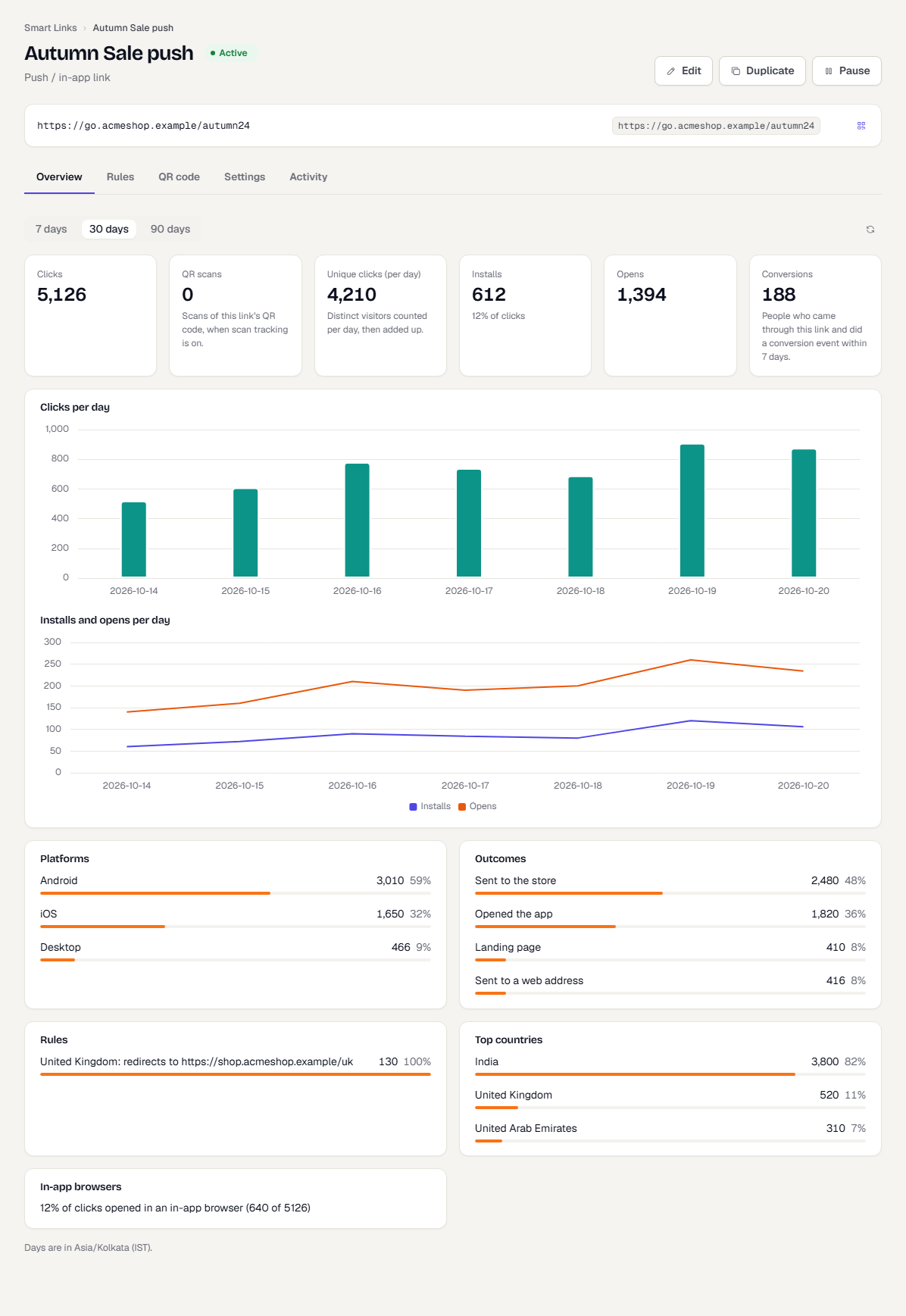
| Tile | How it is counted |
|---|---|
| Clicks | People who followed the link. Link previews and known bots are left out. |
| QR scans | The part of clicks that came from a scanned QR code. See QR codes. |
| Unique clicks (per day) | Distinct visitors counted for each day, then added up. The same person on two days counts twice. |
| Installs | First launches of the app that TrueEngage matched to a click on this link. The tile also shows installs as a share of clicks. |
| Opens | Times the app was opened from this link. This includes people who already had the app. |
| Conversions | People who came through this link and then did a conversion event within 7 days. |
Conversions needs at least one event marked as a conversion. If none is, the tile says so and links to Connect > Events, where you can set it. If the range is too large to compute, the tile asks for a shorter one.
Below the tiles:
- Clicks per day and Installs and opens per day charts. Each chart has a table version for screen readers.
- Platforms: Android, iOS, desktop and others.
- Outcomes: what the click led to, such as the store, the app, a landing page or a web address.
- Rules: clicks decided by each rule. Shown only when the link has rules. See Routing and rules.
- Top countries: where clicks came from.
- In-app browsers: the share of clicks that came from a social app's built-in browser.
The Smart Links dashboard
Smart Links > Analytics opens the Smart Links dashboard in Analytics. It shows clicks, installs and opens, a trend, the busiest links, where installs come from by media source and campaign, the platform split, QR scans and the match rate. It supports day, week and month grains. People who can view Analytics but not Smart Links see empty cards.
How installs and opens are credited
- A click is recorded when someone follows the link. The record holds the link, platform, country and where the click came from. It does not hold the person's identity.
- An install is recorded when the SDK reports the first launch of an install and TrueEngage finds the matching click. The match type is
referrer(Android, exact) orfingerprint(iOS, best match). - An open is recorded when the SDK reports that the app was opened by this link.
- The install and open also become events on the person's profile, together with first-touch attributes such as the acquisition source and campaign. That lets you build segments such as "installed from the autumn campaign" and set conversion goals.
Retargeting links count people who already have the app as re-engagement instead of new installs.
Time zone
Link analytics group days in India Standard Time (Asia/Kolkata). A different display time zone in your workspace does not move the day boundaries on these pages, and the page says so under the charts. Plan reporting windows accordingly.
Export
On the Links page, Export CSV downloads the links that match your filters, with 30-day clicks, installs and opens per link. See Templates and bulk creation. There is no export of people or of single clicks.
Related pages
Was this page helpful?