Control which users ad platforms receive
Choose who counts as consenting, record ad consent with the ads_consent attribute, and see what happens when consent changes.
TrueEngage sends a person to Google Ads, Meta or GA4 only after you record that they agreed. You record it with one user attribute, ads_consent. This page explains the rule, how to set the attribute, and what happens when it changes.
This page is not legal advice. Check which consent your privacy policy and local law require.
Choose who counts as consenting
Open Data, then Ad platforms, and select the Consent tab. The setting applies to every connection in the environment, to conversions and audiences alike. You need Create and manage on Ad platforms to change it. With View only you can read it.
| Mode | Who is sent |
|---|---|
| Only people who agreed (default, recommended) | Users whose ads_consent attribute is true |
| Everyone | Every user, unless ads_consent is explicitly false |
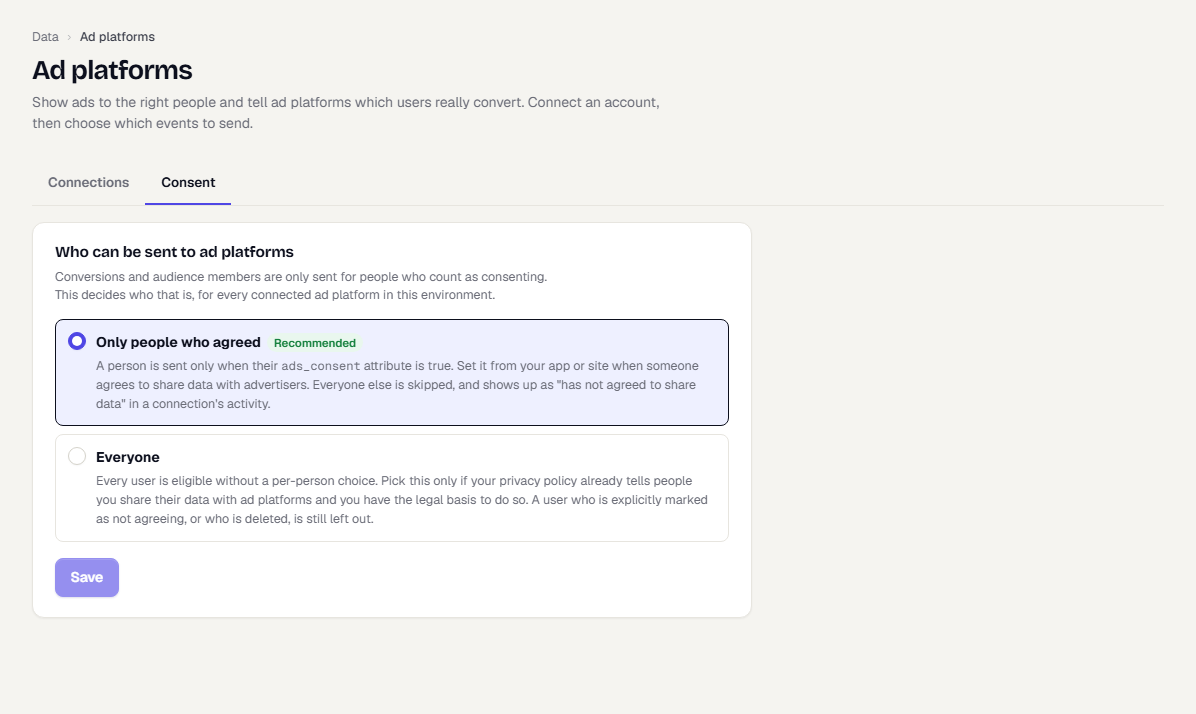
Only people who agreed
ads_consent |
Sent? |
|---|---|
true |
Yes |
false |
No |
| Not set | No |
Ad consent is separate from message consent. Opting out of push or email does not change ads_consent, and the reverse.
TrueEngage reads the attribute as a boolean. From a CSV import, true counts as true. false, no, 0, n, off and f count as false. Any other text, such as yes, counts as not set.
Everyone
Choose this only if your privacy policy already tells people you share their data with ad platforms and you have the legal basis to do so. Consent then becomes your responsibility: TrueEngage sends hashed emails and phone numbers of all users to the platforms you connect, and it cannot check that your policy covers it.
A person whose ads_consent is false is still left out, and so is a deleted person. Everyone else is sent, including users who never set the attribute.
To switch to Everyone, select it, read the warning and type SHARE WITH AD PLATFORMS to confirm, then select Save. Switching back to Only people who agreed needs no confirmation. The change is recorded in the audit log.
Set the attribute
Set ads_consent wherever you capture the person's choice.
Web SDK:
TrueEngage.setUserAttribute('ads_consent', true);
Android SDK:
TrueEngage.setUserAttribute("ads_consent", true)
Set it to false when the person withdraws. Other ways to set it:
- The SDK ingest API, with an attributes item. See SDK ingest.
- A users CSV import with an
ads_consentcolumn. See Import users or events from a CSV.
Check a person's consent
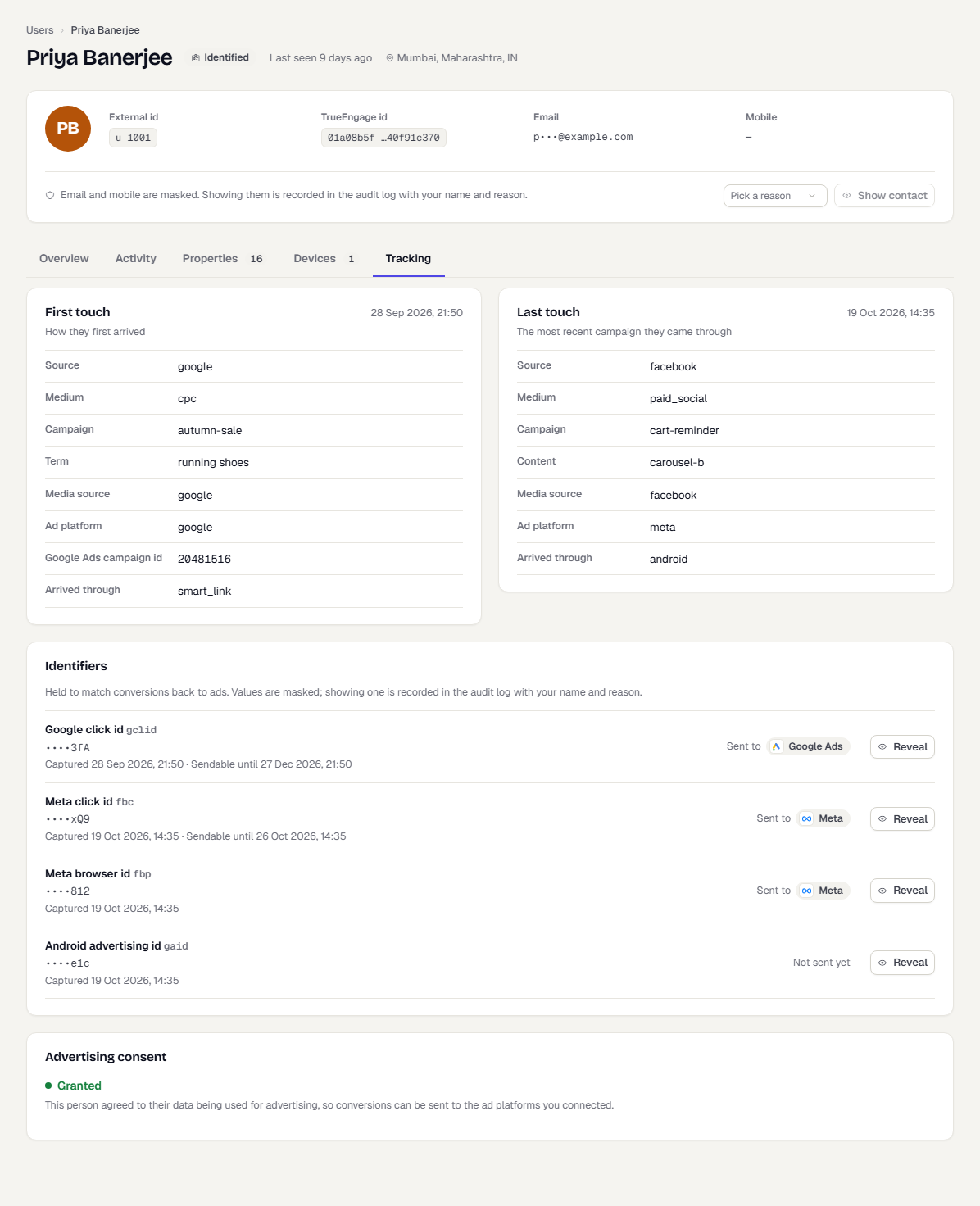
Open the user's profile and select the Tracking tab. The Advertising consent card shows one of:
- Granted: conversions can be sent for this person.
- Withheld: nothing is sent.
- Not recorded: no value is set. Nothing is sent in the default mode; in Everyone mode the person is sent.
See how many users are held back
When you sync a segment, the Who would be sent panel shows three counts: users who will be sent, users with no consent and users with nothing to match on. On the Activity tab of a connection, Why events were skipped counts conversions skipped for the same reasons.
When consent changes
- Conversions. TrueEngage checks consent again when it sends. An event still waiting for delivery is skipped if consent was withdrawn since.
- Audiences. A person who withdraws, or whose profile is deleted, is queued for removal from every audience they were added to. The removal goes out at the next check, about 5 minutes later.
- Erasure. Erasing a person removes them from every audience first and deletes their data after the platforms confirm. If a platform never confirms, the audience row shows a warning. See People that could not be removed.
- Refusal clears identifiers. When a person's ad consent is withdrawn, or the person is deleted, TrueEngage deletes every stored ad identifier for them once their audience removals are done. This runs hourly and covers click ids,
_fbpand_gaids, Firebase and device advertising ids, IP address and user agent.
Other privacy limits
- Tracking opt-out. When your app calls
optOutfor tracking, the SDK stops capturing ad click data. See Consent in the SDKs. - Identifiers. Email and phone are hashed with SHA-256 before they leave TrueEngage. Click ids and IP addresses are masked in the console.
- iOS. The advertising ID is stored only while App Tracking Transparency is authorised. The SDK never shows the prompt.
What happens next
Was this page helpful?