Send an event-triggered campaign
Send a message when a user does something, such as adding an item to their cart.
An event-triggered campaign sends when a user performs an event, optionally after a delay. Use it for cart reminders, welcome messages and win-back nudges. The seeded "Cart reminder" campaign works this way.
Before you start
- The event is already arriving, from an SDK or the events API. Check it under Data, then Data Management, on the Events tab.
- A published template.
Steps
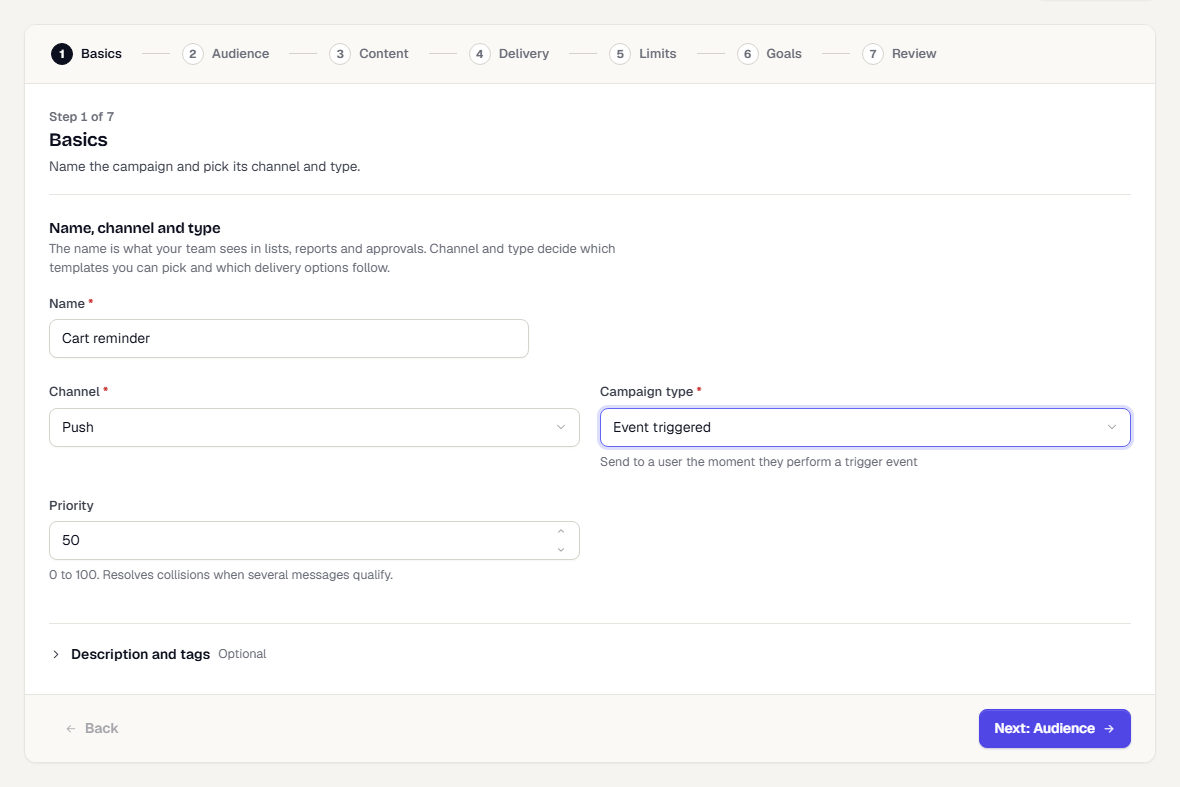
- Click New campaign and enter a Name, such as "Cart reminder".
- Set Campaign type to Event triggered.
Choose the audience and template. The audience limits who can receive the message even when others trigger the event. Clear the segment to send to whoever does the event, and only to them. The review then reads Everyone who does the event.
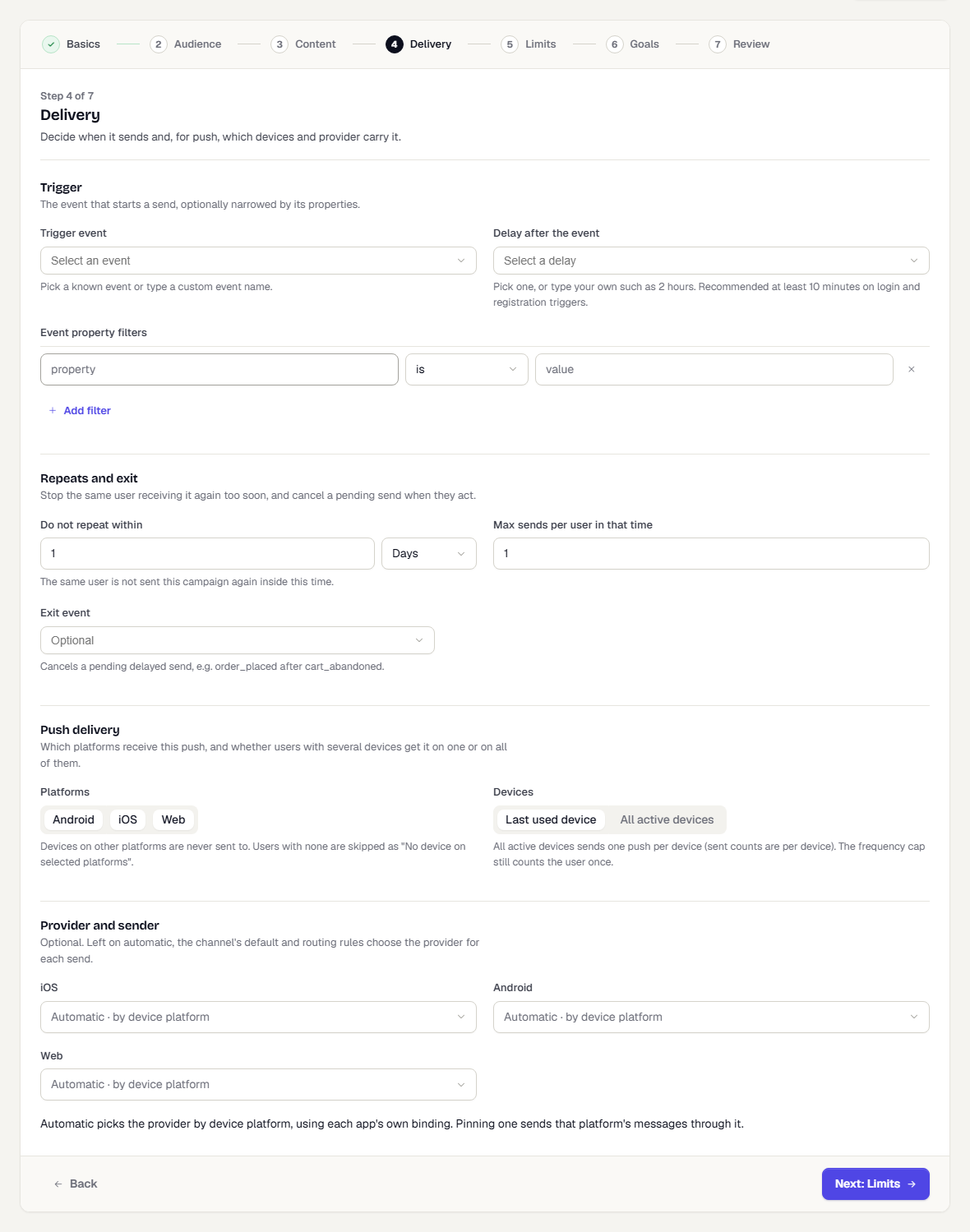
On Delivery, under Trigger, pick the Trigger event. You can also type a custom event name.
Set Delay after the event. Pick a preset such as 10 minutes, or type your own such as
2 hours. Ten minutes or more is recommended for login and registration triggers.Under Event property filters, click Add filter to narrow the trigger, for example only carts with
valueabove 1000.In-App, On-Site and Cards campaigns set the trigger on the Display step instead, in its Trigger section, and have no Delivery step for this type. See In-app messages and cards.
- Under Repeats and exit:
- Do not repeat within and Max sends per user in that time stop the same user getting it again too soon. Set the time in minutes, hours or days; the default is 1 day.
- Exit event cancels a pending delayed send when the user acts, for example Order Placed after a cart event.
- Continue to Limits and Goals, add a goal such as Order Placed, then click Save & publish.
What happens next
The campaign shows Live and listens for the event. Triggered sends group into hourly runs on the campaign page. If a delayed message is waiting, the page says it is held, not stuck. See Read a campaign's results.
Was this page helpful?