Consent and opt-out
Let users opt out of tracking, push or in-app messages, or collect nothing until they opt in.
The SDKs let your app respect a user's choices. You can stop everything at once, or switch off one part, and you can start with everything off until the user agrees.
Before you start
- Initialize the SDK. See your platform guide.
- Connect the calls below to your consent banner or privacy settings screen. The SDK does not draw one.
Scopes
Each opt-out call takes a scope.
| Scope | Stops |
|---|---|
tracking |
Events, attributes and identify calls. Location collection also stops. |
push |
Push token registration. On the web, the browser subscription is removed. |
inApp |
In-app messages |
all |
All of the above |
The choice is saved on the device. It survives app restarts and upgrades.
Opt out and opt in
Web:
TrueEngage.optOut();               // all
TrueEngage.optOutOf('push');       // 'tracking' | 'push' | 'inApp' | 'all'
TrueEngage.optIn();
TrueEngage.optInTo('push');
TrueEngage.isOptedOut('tracking'); // boolean
Android:
TrueEngage.optOut()
TrueEngage.optOutOf("push")
TrueEngage.optIn()
TrueEngage.optInTo("push")
TrueEngage.isOptedOut("tracking")
iOS:
TrueEngage.optOut()
TrueEngage.optOut(of: "push")
TrueEngage.optIn()
TrueEngage.optIn(to: "push")
TrueEngage.isOptedOut("tracking")
Flutter:
TrueEngage.optOut();
TrueEngage.optOutOf(OptOutScope.push);
TrueEngage.optIn();
TrueEngage.optInTo(OptOutScope.push);
final out = await TrueEngage.isOptedOut(OptOutScope.tracking); // Future<bool>
isOptedOut takes all when you give no scope. Calls made while a user is opted out do nothing.
What happens to queued events
When a user opts out of tracking, events already in the queue were collected while consent existed. By default the SDK sends them, then stops. Set flushOnOptOut to false to delete them instead.
Clearing ad identifiers
From SDK 0.8.1, opting out of tracking also tells TrueEngage to delete every ad identifier it holds for the person, so ad platforms stop receiving them. The SDK sends this once, only if it ever reported an ad identifier, and sends it even when flushOnOptOut is false. Opting out of push or in-app only does not clear anything.
| SDK | Also clears automatically | Call yourself |
|---|---|---|
| Web | Stored advertising id and click-id touch on optOut() |
TrueEngage.clearAdIdentifiers(kinds?). Leave out kinds to clear everything. |
| Android | Limited ad tracking, an ad id reset, null passed to a setter |
Nothing |
| iOS | ATT no longer authorised, an IDFA change, nil passed to a setter |
Nothing |
| Flutter | What the Android and iOS cores do | Nothing |
reset() does not send a clear. See When ad identifiers are cleared.
Collect nothing until the user agrees
For consent-first apps and sites, such as those behind a consent banner, set optOutByDefault to true:
TrueEngage.initialize({ appKey: 'test_xxxxxxxx', optOutByDefault: true });
// later, when the user accepts
TrueEngage.optIn();
Until optIn runs, nothing is collected or sent. The option is on the web initialize config, the Android TEConfig.builder, iOS TEConfig and Flutter TEConfig.
Advertising id
The advertising identifier is off unless you enable it, because collecting it changes your store privacy declarations.
- Android. The SDK reads the Google advertising id only if your manifest declares
com.google.android.gms.permission.AD_ID,play-services-ads-identifieris on your classpath and the user has not limited ad tracking. It clears a stored id when the user limits ad tracking or opts out of tracking. - iOS. The SDK attaches the IDFA only while App Tracking Transparency is authorized. The SDK never shows the prompt. Show your own, add
NSUserTrackingUsageDescriptionto your app, and callsetAdvertisingIdentifier(id)only after the user allows tracking. A value set earlier is dropped. The SDK links AdSupport, so App Store Connect asks whether your app uses the Advertising Identifier. - Flutter. Follows the native rules above. On iOS the SDK reads the IDFA itself once tracking is authorized.
Opting out of tracking also stops ad click capture. See See where each user came from.
Consent and message sending
These SDK calls control what the app collects. Sending rules, such as email unsubscribes, frequency caps and quiet hours, are set in TrueEngage and apply to campaigns and flows.
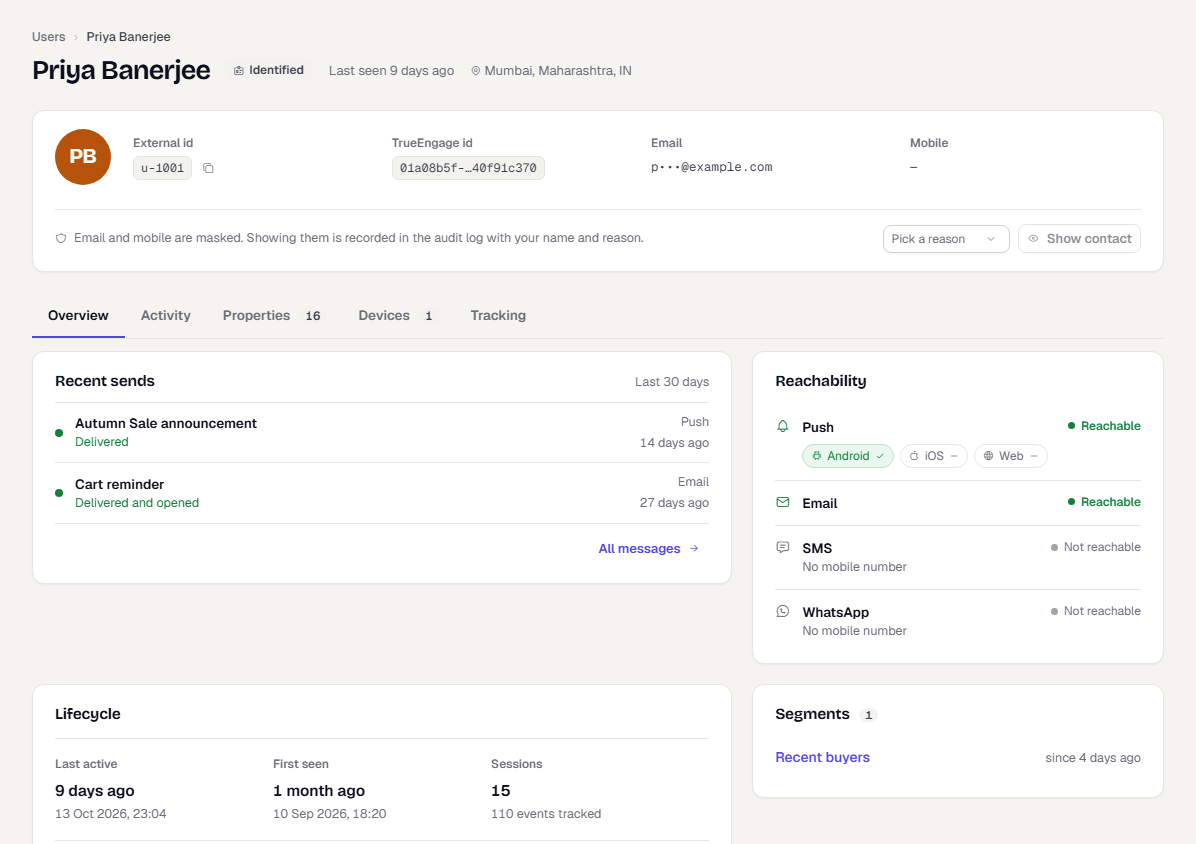
Verify it works
- In a test build, call
optOut(), then track an event. - Check
isOptedOut('tracking')returnstrue. - In the console, switch to Test and go to Audience → Users. Open the profile.
- Confirm the new event does not appear in the activity list.
- Call
optIn(), track an event, and confirm it appears.
Troubleshooting
| Symptom | Likely cause and fix |
|---|---|
| No events from a new install | optOutByDefault is on and optIn was not called. |
| Events missing for one user | The user opted out earlier. The choice is saved on the device. Check isOptedOut. |
| Push stopped after opting out of push | Call optInTo('push') and request push permission again. |
| Queued events still arrived after opt-out | flushOnOptOut is true by default. Set it to false to delete them. |
Was this page helpful?